











For Mac · One-time purchase
Launch videos, without a video team.
Describe what you shipped. Studiomint writes the script, records the voice-over and animates your real screens into a finished video, on your Mac, with the Claude or ChatGPT plan you already pay for.
Pay once, use it on one Mac. Full refund within 14 days.

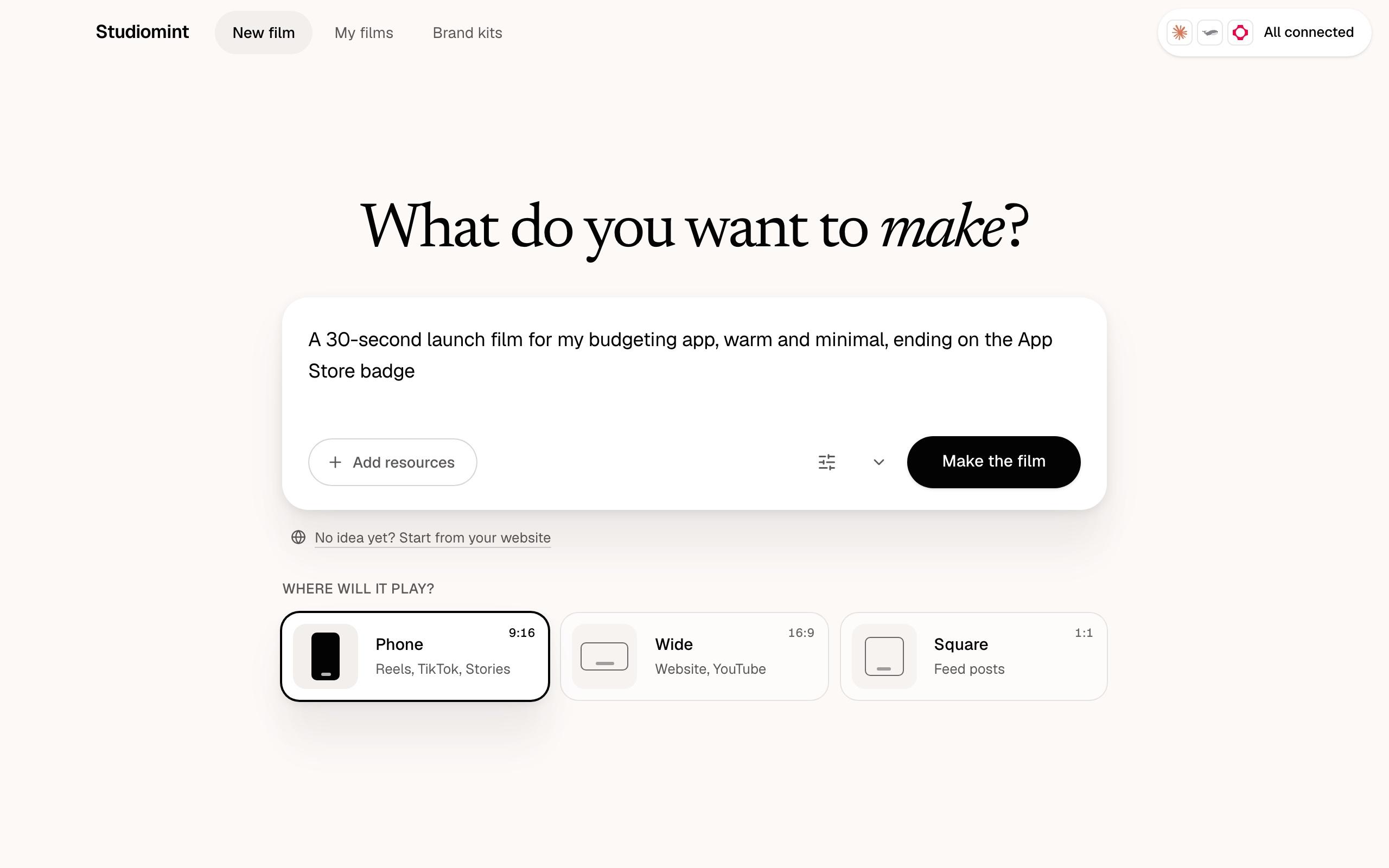
- 14voice languages
- 5motion styles
- 3formats: phone, square, wide
- 60seconds per film, at most
The launch problem
You shipped it. Then the feed went quiet.
Building the product is the part you know. Getting people to stop scrolling for it is a different job, and most teams have nobody to do it.
The screenshot post
A static screenshot and a paragraph of text. It scrolls past in under a second, and the work behind it never gets seen.
The agency quote
A freelancer or agency quotes hundreds to thousands of dollars for one short promo, then days of back-and-forth before you can post it.
The silent company page
Nobody on the team edits video and a full-time hire is hard to justify, so the last post went up months ago.
Studiomint is the video team you never had to hire.
Made with Studiomint
Watch what a sentence turns into
Original films by the Studiomint team, for products we made up. Open one to watch it with sound and read the brief it was made from.
How it works
Three steps, and you can walk away during the middle one.
- Step 1
Describe it
Write what you shipped in a sentence or two, or start from your website. Say where it will play: phone, square or wide. The length, language and voice follow your idea.
- Step 2
Your AI makes it
Claude or ChatGPT writes the script; Studiomint voices it, designs every scene on your screens and checks each one. Close the window if you like. Your Mac tells you when it is ready.
- Step 3
Post it
Export the MP4 with voice-over and captions. Want a slower intro? Ask in plain words and get a new version.

Runs on your AI
It works with the AI plan you already pay for.
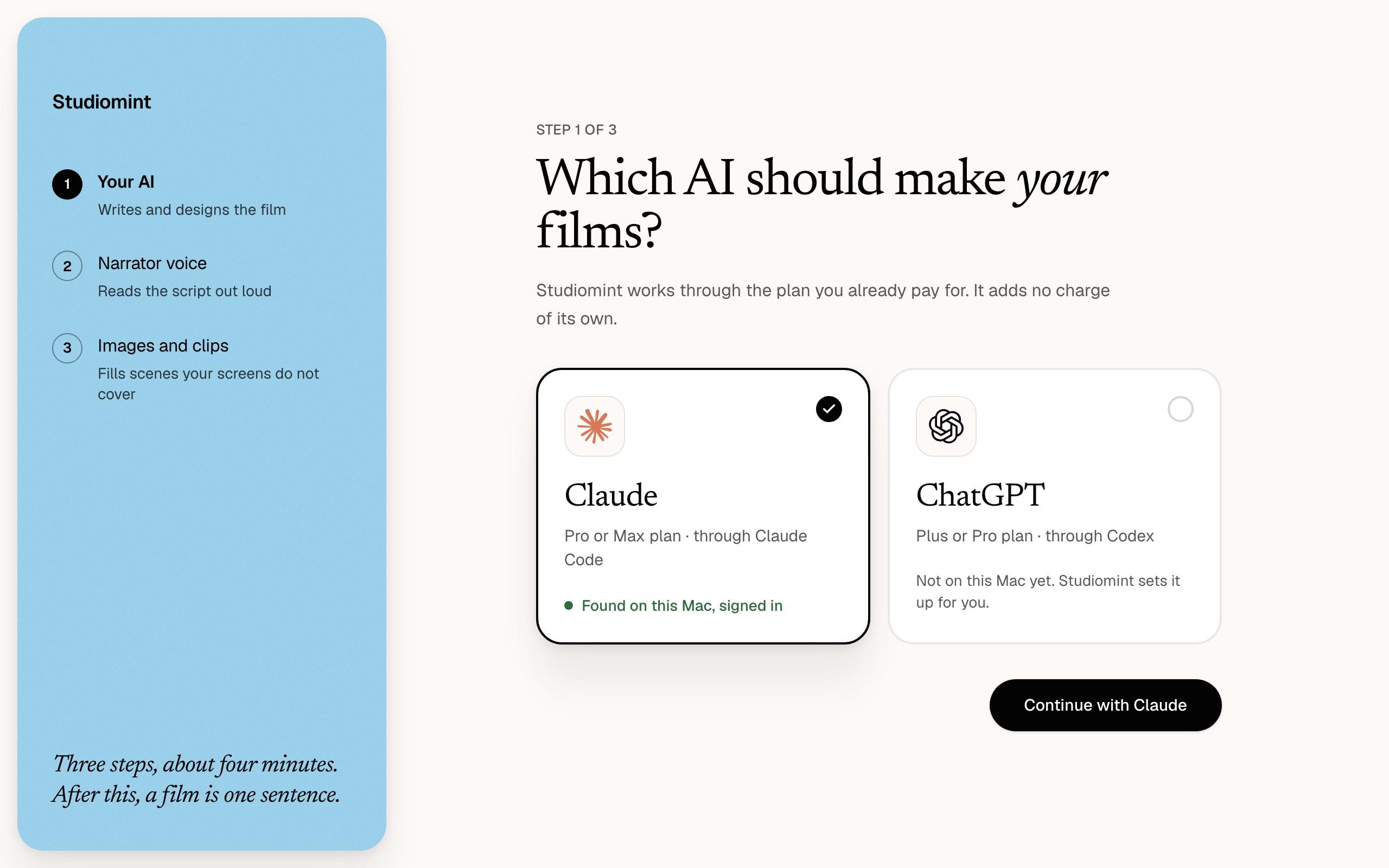
Studiomint drives Claude Code or Codex on your Mac, signed in to your own Claude Pro or Max, or ChatGPT Plus or Pro plan. Setup is three short steps, and Studiomint runs the official installer and the sign-in for you.
- Your AI
 Claude
 ChatGPT
- Narrator voice
 ElevenLabs
 Fish Audio
- Images and clips
 fal
 Higgsfield
Only the AI is required. A voice and generated images are optional, each on its own account.
No per-video bill from us
You pay Studiomint once. Each film uses some of your AI plan’s usage, and voice-over is billed by your own Fish Audio or ElevenLabs account.
Your files stay on your Mac
Every project is a folder on your Mac: the script, the voice, every scene and every version. Studiomint keeps no copy anywhere else.
No terminal, no jargon
You see where your film stands in plain words, and your AI asks only when it needs a decision from you.
What you can make
Everything a launch film needs, from one sentence
Your real product on screen
Drop in screenshots or screen recordings. Every scene is built around your actual interface, placed sharp and aligned.
Start from your website
Paste your URL. Studiomint keeps your logo, colours, type and a few screens, and asks five quick questions while it reads.
Speak to every market
Voice-over in 14 languages, with the script and the on-screen text written natively for each one.
Change it in plain words
Ask for a slower intro or bigger captions and get a new version from the same plan. Every version stays in the project.
5 styles
Product promo, app demo, kinetic type, explainer or announcement. Add a fal or Higgsfield key and it can generate images and clips too, up to a spending limit you set.
Match a look you love
Add a reference video and your film picks up its pacing, type and energy, applied to your product.
The math
What one launch video costs
| What | A freelancer or agency | Studiomint |
|---|---|---|
| Price | Hundreds to thousands of dollars, per video | $99 once, then as many films as your AI plan allows |
| Turnaround | Days of calls, quotes and drafts | The same day you ship |
| Changes | Each round on their schedule | Ask in plain words, any time |
| Languages | Another quote per language | 14 voice languages, same price |
Pricing
One price. No subscription.
Buy it once and make films for every launch after this one.
Studiomint for Mac
$99one-time
- Unlimited films, no per-video fee from us
- All 5 styles
- Voice-over in 14 languages
- Every 1.x update, installed by the app
- Use it on one Mac, move it to a new one any time
- Full refund within 14 days
Secure checkout by Polar, our merchant of record. Taxes are worked out at checkout.
What you need
- A Mac with macOS 12 Monterey or later
- Claude Pro or Max, or ChatGPT Plus or Pro
- For voice-over: a Fish Audio or ElevenLabs key (optional)
FAQ
Questions before you buy
What do I need to run Studiomint?
A Mac with macOS 12 Monterey or later, and a Claude Pro or Max plan (Studiomint uses it through Claude Code) or a ChatGPT Plus or Pro plan (through Codex). For voice-over, add your own Fish Audio or ElevenLabs key; without one, films tell the story in on-screen text.
Does Studiomint charge per video?
No. You pay $99 once. Each film uses some of your AI plan's usage, and voice-over is billed by your own voice provider, pay as you go.
Can I use it on more than one Mac?
One license runs on 1 Mac at a time. Moving to a new Mac takes one click: deactivate the license in Settings on the old one, then activate it on the new one. To use Studiomint on two Macs at once, buy a second license.
What do I get at the end?
An MP4 in vertical, square or wide, from 15 to 60 seconds, with the script voiced, captions and motion design throughout. The project folder keeps the script, every scene and every version, so you can ask for changes later.
Do I need video or design skills?
No. If you can describe your product in a sentence, you can make a film. Screens, your website and a reference video help, and all of them are optional.
Which languages can the voice-over speak?
14 languages. You pick the language per film, and the script and on-screen text are written in it. The app itself is in English.
Where do my files go?
Into a folder on your Mac. Your AI provider and your voice provider process what each film needs, under their own terms; Studiomint keeps no copy of your projects anywhere else.
Can I use the films commercially?
Yes. Post them on your accounts, run them as ads and put them on your website. The terms have the details.
Are updates included?
Every 1.x update is included, and the app updates itself.
What if it is not for me?
Email us within 14 days of buying and we refund you in full. The license stops working when the refund goes through.
Is there a Windows version?
Not yet. Studiomint is Mac only for now.

Your next launch deserves more than a screenshot.